
Trying to choose between ChatGPT, Claude, Gemini, and Perplexity can feel oddly like shopping for a laptop without knowing the specs that actually matter. You see bold claims everywhere, but not many clear, honest trade-offs. If you’ve been searching for a practical breakdown of ChatGPT vs Claude vs Gemini that speaks to real use, you’re in the right place.
This guide cuts through marketing and focuses on what it’s like to live with these tools day to day: content creation, coding help, research, brainstorming, and support tasks. By the end, you’ll know which AI assistant fits your style, your workload, and your risk tolerance instead of just guessing based on hype.
What’s the core difference between these AI assistants?
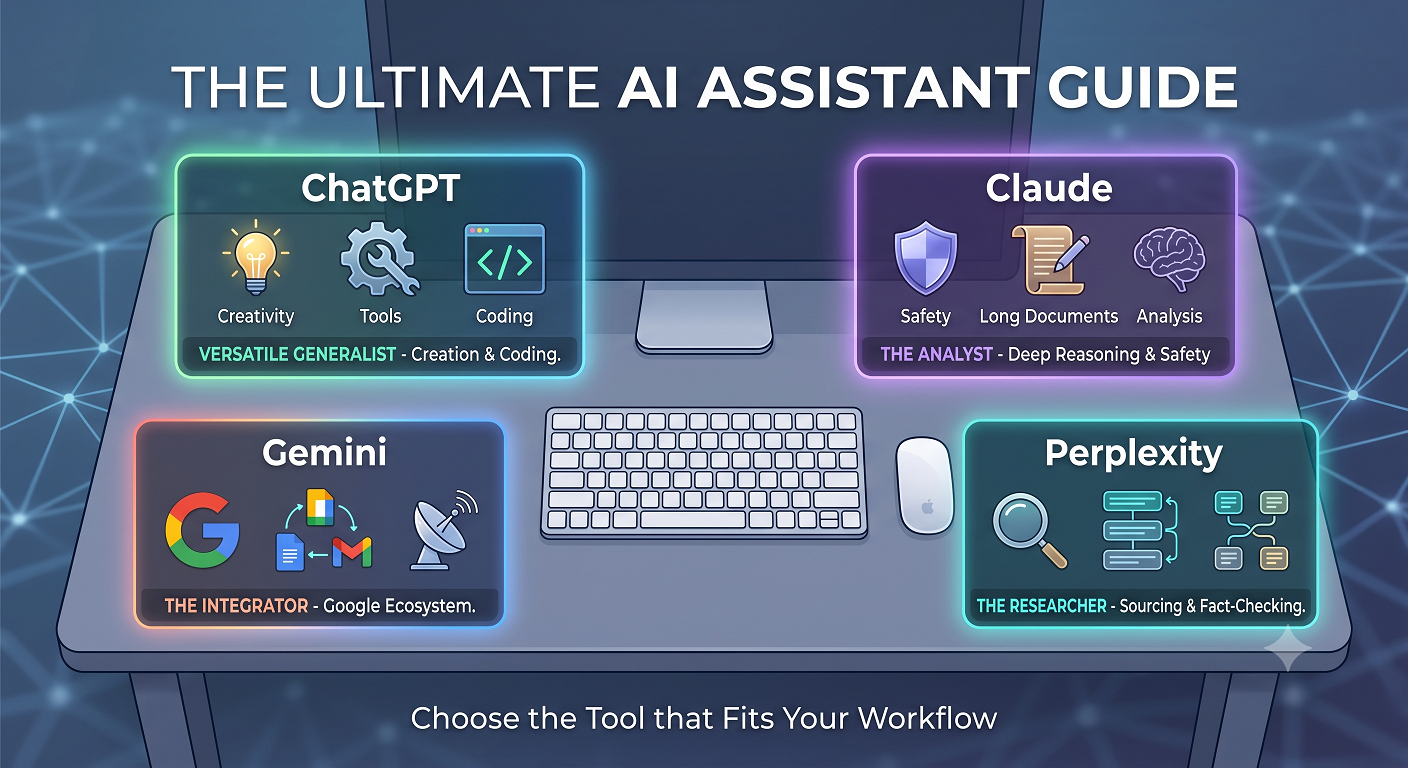
All four tools are large language model assistants, but they’re not interchangeable. At a high level, OpenAI’s flagship model tends to shine at creativity and tools, Anthropic focuses heavily on safety and long-form reasoning, Google’s model is wired tightly into its ecosystem, and Perplexity leans hard into search and sourcing.
If you’ve been reading yet another generic ChatGPT comparison without clear use-case guidance, it’s easy to walk away more confused than when you started.
How they’re built and updated
OpenAI, Anthropic, and Google all build and train their own foundation models, while Perplexity focuses on wrapping those models with a strong retrieval and search layer. That means Perplexity often feels like a “research-first” experience rather than a blank page chat.
This setup also matters for anyone doing an AI assistant comparison for team use, because model architecture and training choices affect reliability, security controls, and how often you see hallucinated facts.
Quick at-a-glance comparison
Instead of memorizing model names, think in terms of strengths. One assistant is usually best at creative drafting and coding tools, another at thoughtful long-form analysis, another at web-integrated answers, and another at source-heavy research.
People searching for a clear LLM comparison usually want to know, in plain language, which one will save them the most time on writing, coding, or research—not just who has the fanciest benchmarks.
ChatGPT: strengths, limits, and ideal use cases
For many people, the journey starts with ChatGPT because it’s the default name they hear from friends and coworkers. It offers a friendly interface, strong reasoning, and rich plug-in style tools like browsing, code execution, and document analysis, depending on the plan you choose.
If you’re doing a Claude vs ChatGPT evaluation, you’ll quickly notice that ChatGPT often feels more “confident” and punchy, which can be great for marketing copy but demands careful review for factual work.
Where ChatGPT tends to excel
ChatGPT is especially handy for turning rough notes into clean drafts, whether that’s emails, blog posts, outlines, or social posts. Many users treat it like a flexible writing partner that can switch tone on command and quickly iterate on ideas.
It’s also a top pick for developers comparing Gemini vs ChatGPT, because the coding assistance, debugging help, and ability to explain snippets in plain language are usually fast and practical, especially when you share enough context.
While there’s no single best AI chatbot for every person, ChatGPT usually wins for those who want a generalist that covers writing, coding, light research, and idea generation with minimal setup.
One thing to keep in mind if you’re looking at ChatGPT alternatives is that power features like advanced tools, higher rate limits, and newer models often sit behind paid plans, which matters for heavy professional use.
Claude: deep reasoning, long context, and safety focus
Anthropic’s Claude has a different personality and design philosophy. It tends to feel calmer, more cautious, and better at staying on track in long documents and nuanced discussions, which many people appreciate for complex business or policy work.
Teams doing an AI chatbot comparison for knowledge work often like Claude for summarizing huge documents, drafting careful responses, and working through multi-step reasoning without getting too “salesy” or overexcited.
Where Claude tends to shine
Long-context work is a major strength. If you routinely upload lengthy contracts, research reports, or product specs, Claude usually stays coherent for longer stretches of text with fewer tangents or sudden topic shifts.
A balanced Claude AI review usually highlights that its safety tuning reduces some risky or speculative outputs, which is great for compliance-minded teams but can occasionally make it feel a bit conservative for edgy marketing experiments.
If your main goal is thoughtful analysis with clear, stepwise reasoning, Claude can be easier to trust than flashier tools, especially for managers and consultants who live in dense documents all day.
For many professionals running an AI assistant comparison, Claude often becomes the “serious work” partner while something like ChatGPT handles more creative or informal tasks.
Gemini: integrated with Google and strong on the web
Gemini is Google’s entry in this space, deeply connected to Search, Docs, Sheets, and the broader Google ecosystem. That tight integration is the big selling point if your team already lives in Google Workspace.
For people doing an AI assistant specifically for research, Gemini’s built-in access to fresh web content and Google services is a strong draw, especially for surface-level fact checks and quick overviews.
Where Gemini fits best
Gemini tends to shine in workflows where you’re bouncing between Gmail, Docs, and Slides all day. Drafting emails, summarizing threads, or pulling quick outlines into a new doc feels natural when everything is wired into one account.
A thoughtful Gemini AI review often mentions that its answers feel “search-aware,” making it useful for early-stage research, but you’ll still want to click through and confirm sources for anything sensitive or high-stakes.
For solo users and small teams that already rely heavily on Google tools, Gemini vs ChatGPT often comes down to how much you value native integration versus raw creativity or coding depth.
Gemini won’t be the best AI chatbot for everyone, but if you’re all-in on Google and want a built-in helper rather than a separate platform, it can fit surprisingly well into the workday.
Perplexity: research-first, citation-heavy answers
Perplexity takes a different angle from classic chatbots, focusing on being a research and answering engine instead of a pure free-form writer. It usually provides citations, suggested links, and concise summaries sourced from the live web.
People who start with a broad AI assistant comparison often end up keeping Perplexity as their “fact-check sidekick” while they draft and brainstorm in another model.
Where Perplexity stands out
If you spend a lot of time in reports, competitive research, or quick fact checks, Perplexity can save hours by bundling search, reading, and summarizing into a single step. You ask a question, it answers and shows where it pulled the information from.
It’s also a helpful tool for anyone doing ongoing ChatGPT comparison testing, since you can quickly cross-check claims and spot hallucinations by comparing outputs and their underlying sources.
While Perplexity isn’t usually treated as one of the primary ChatGPT alternatives for creative writing, it often becomes the go-to for people who care more about citations than tone.
For many users running an informal LLM comparison at their desk, Perplexity ends up as the research tab they keep open alongside whatever main assistant they rely on for drafting.
How to choose the right AI assistant for your work
Instead of asking which tool is objectively “best,” it’s smarter to ask which one fits your daily workflow and risk tolerance. Your mix of writing, coding, research, and collaboration matters more than leaderboard benchmarks.
The most sensible way to think about ChatGPT vs Claude vs Gemini is to map each assistant to a specific kind of task and decide which category you care about most.
A simple decision framework
You can use a quick framework to avoid analysis paralysis: define your top three use cases, assign a rough importance score to each, then test each assistant against those same tasks.
Many people doing AI assistant comparison testing discover they don’t actually need a single winner; they end up with one primary assistant and a backup for cross-checking and niche tasks.
- Heavy writing & coding: Start with ChatGPT, and test a sample project end-to-end.
- Deep analysis & long documents: Try Claude on a real report or contract you’re allowed to share.
- Search-aware research: Compare Gemini and Perplexity on the same set of questions.
- Fact-checking: Use Perplexity to verify the most critical claims from any model.
If you care about a structured AI chatbot comparison, create a simple scoring sheet: accuracy, speed, ease of use, integrations, and how much editing you had to do afterward.
As you test, keep an eye out for subjective fit as well—some people simply think better when the assistant explains itself in a certain style, and that preference matters more than a tiny difference on synthetic benchmarks or any one Claude AI review.
Key takeaways and next steps
If you boil it all down, each assistant plays a different role: ChatGPT is the versatile generalist, Claude leans into careful long-form reasoning, Gemini ties tightly into Google’s universe, and Perplexity is the citation-focused research companion. The real decision comes down to which role matters most in your day-to-day work.
Instead of trying to crown a single winner in the ChatGPT vs Claude vs Gemini debate, sign up for at least two of them, run the same real-world tasks through each, and keep the one that reduces your editing time the most; if you’d like a structured, no-nonsense checklist to guide that testing, you can grab it from Ai Buyer Guide and use it as your personal scorecard.